It pays to stream
with Xumo

Get $100

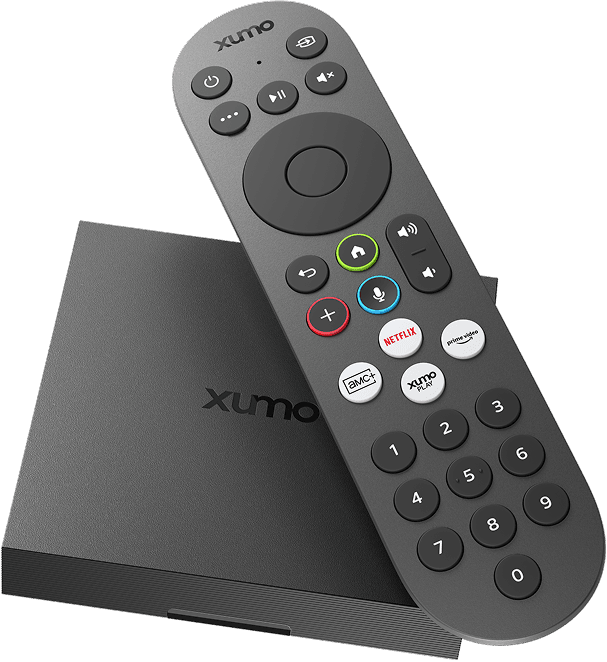
Xumo Stream Box and remote

in Xumo Credits to watch
what you really want

Apple TVHBO MaxPeacockAMC PlusMGM Plus

Limited time offer, ends 8/31/2026

Save on your pick of 100+ subscriptions and purchases through your Xumo account with internet and Xumo Stream Box from Mediacom.

Choose from
100+ apps and Xumo
Premium Channels

Explore Xumo Store on your device to find apps, channels and subscriptions your credits can be applied to.

Say “Xumo Store” into your voice remote

How to get credits

Sign up for Xumo Stream Box from Mediacom

Activate your device and start streaming with Xumo

Get $100 in credits applied to future purchases with your Xumo account

All about credits

Find out how credits work and how you can save on streaming with Xumo.

Frequently asked questions about Xumo Credits

Xumo Credits are savings that are automatically applied toward streaming subscriptions and content purchases made through your Xumo account — so you can lower your costs and watch even more.
To get this offer, sign up for Xumo Stream Box through Mediacom, then activate your device. During setup, you’ll be able to create a Xumo account. Once you’ve activated your Xumo Stream Box and created your Xumo account, $100 in Xumo Credits will be added to your Xumo account within 24 hours of activation.
If you are a Mediacom customer who signed up for a WiFi package that includes Xumo Stream Box, you may qualify for this offer when you receive your Xumo device. If you are an existing Mediacom customer who has received, but not yet activated your Xumo Stream Box, you may qualify for this offer.

To confirm your eligibility, visit mediacomcable.com/television/xumo and log in or select Shop Now and enter your address.
Only Mediacom Xumo customers who activate their Xumo Stream Box and create a Xumo account between June 1, 2026 and October 31, 2026 will qualify.
You’ll receive an email notification when credits are added to your account. You can also view your credits balance by going to the Subscriptions tab in your Xumo account dashboard. Go to Your Xumo Credits, which will display your credit balance. You can also check the Transactions tab to see if and when you received Xumo Credits, as well as their expiration date.
Xumo Credits can be applied toward subscription costs of 100+ apps and channels purchased through your Xumo account, like Apple TV, HBO Max, Peacock, AMC+, MGM+ and more.

Browse select apps at xumo.com/subscriptions and view all eligible apps in Xumo Store on your device. Say “Xumo Store” into your voice remote or select the Store tile on your home screen to see what’s available.

Credits can only be applied to purchases made through Xumo. Purchases within third party apps are not eligible.

Separate subscriptions are required to view content through various paid applications. $100 in Xumo Credits: Offer ends 8/31/2026. Limited to eligible Mediacom Xtream Internet customers who activate a Xumo Stream Box by 10/31/2026. Credits can only be redeemed for eligible purchases made with a credit card through a Xumo account. Credits will be available in Xumo account within approximately 24 hours of Xumo Stream Box activation. Credits expire 6 months from issue date. Credits are non-transferable, have no cash value, may not be redeemed for cash, and cannot be used for any purchase before claiming the offer. ​If purchase cost with any associated fees and charges included is more than maximum available credits, then user must pay the difference. Any price difference between eligible purchase and maximum available credits will not be refunded. Visit xumo.com/creditsterms for restrictions and complete details.